
Warning: Undefined array key 429 in /home/tmatsuoka/tmatsuoka.com/public_html/wp-content/plugins/json-content-importer/block/index.php on line 238
Warning: Undefined array key 429 in /home/tmatsuoka/tmatsuoka.com/public_html/wp-content/plugins/json-content-importer/block/index.php on line 238
AmazonアフィリエイトのAPIを使わずに、著作権完全クリアで書影を表示するため国立国会図書館サーチのAPIを利用していました。

しかし、例えば、ダン・アッカーマン『テトリス・エフェクト』の書影が登録されていなくて表示できず、しょんぼりしていました。(現在は、今回の手法で書影を表示できています。)

同じような条件で書影を表示していると思われる公立図書館はどうなのだろうと石川県立図書館のサイトを調べてみると、そこにはきちんと『テトリス・エフェクト』の書影が表示されていて、その下に“POWERED BY GOOGLE”のロゴが表示されています。
調べてみたところ、Google ブックスのAPIがあって、国立国会図書館サーチのAPIよりも書影のカバー率が高そうです。しかも、無料で使えて、私でもがんばればどうにかできそうです。ということで、いろいろと試行錯誤を重ねたところ、
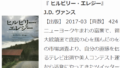
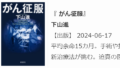
↓こんな感じで、それっぽく表示できるようになりました。
429
| | 『 』 【出版】 【頁数】 |
 Google ブックスのAPIを利用しています。
 あまりやったことがなくて大変だったのが、APIで引っ張ってきたJSONデータを、WordPress上でうまく表示すること。いろいろ調べる中で、WordPressのプラグインJSON Content Importerなるものを発見。このプラグインのFree版を導入することで、JSONデータから必要な情報だけを抜き出して、きれいに整形して表示できるようになったのでした。
APIを引っ張ってくる先のURLを設定すると、引っ張ってきたJSONデータをとりあえず全部表示するためのコードを1クリックで生成してくれます。あとは、必要なデータを取捨選択して、表示の体裁を整えるためのHTMLタグなども付与したテンプレートを作っていくだけ。こんな便利なものが無料で使えて本当にありがたいことです。過去の読書感想文記事までさかのぼって、この形式の書籍データ表示に差し替えておきたいと思います。
Google ブックスのAPIから取得できるJSONデータと、とりあえず全部表示した整形前のデータは、↓こんな感じです。
JSON received from the API:
{
    "error": {
        "code": 429,
        "message": "Quota exceeded for quota metric 'Queries' and limit 'Queries per day' of service 'books.googleapis.com' for consumer 'project_number:624717413613'.",
        "errors": [
            {
                "message": "Quota exceeded for quota metric 'Queries' and limit 'Queries per day' of service 'books.googleapis.com' for consumer 'project_number:624717413613'.",
                "domain": "global",
                "reason": "rateLimitExceeded"
            }
        ],
        "status": "RESOURCE_EXHAUSTED",
        "details": [
            {
                "@type": "type.googleapis.com\/google.rpc.ErrorInfo",
                "reason": "RATE_LIMIT_EXCEEDED",
                "domain": "googleapis.com",
                "metadata": {
                    "quota_unit": "1\/d\/{project}",
                    "quota_location": "global",
                    "quota_metric": "books.googleapis.com\/default",
                    "service": "books.googleapis.com",
                    "consumer": "projects\/624717413613",
                    "quota_limit_value": "20000000",
                    "quota_limit": "defaultPerDayPerProject"
                }
            },
            {
                "@type": "type.googleapis.com\/google.rpc.Help",
                "links": [
                    {
                        "description": "Request a higher quota limit.",
                        "url": "https:\/\/cloud.google.com\/docs\/quotas\/help\/request_increase"
                    }
                ]
            }
        ]
    }
}
API-Server does answer, but with an error-message:429
kind =
totalItems =
items:
kind =
id =
etag =
selfLink =
title =
subtitle =
authors:
publishedDate =
description =
industryIdentifiers:
type =
identifier =
text =
image =
pageCount =
printType =
maturityRating =
allowAnonLogging =
contentVersion =
containsEpubBubbles =
containsImageBubbles =
smallThumbnail =
thumbnail =
language =
previewLink =
infoLink =
canonicalVolumeLink =
country =
saleability =
isEbook =
country =
viewability =
embeddable =
publicDomain =
textToSpeechPermission =
isAvailable =
isAvailable =
webReaderLink =
accessViewStatus =
quoteSharingAllowed =
textSnippet =
コメント